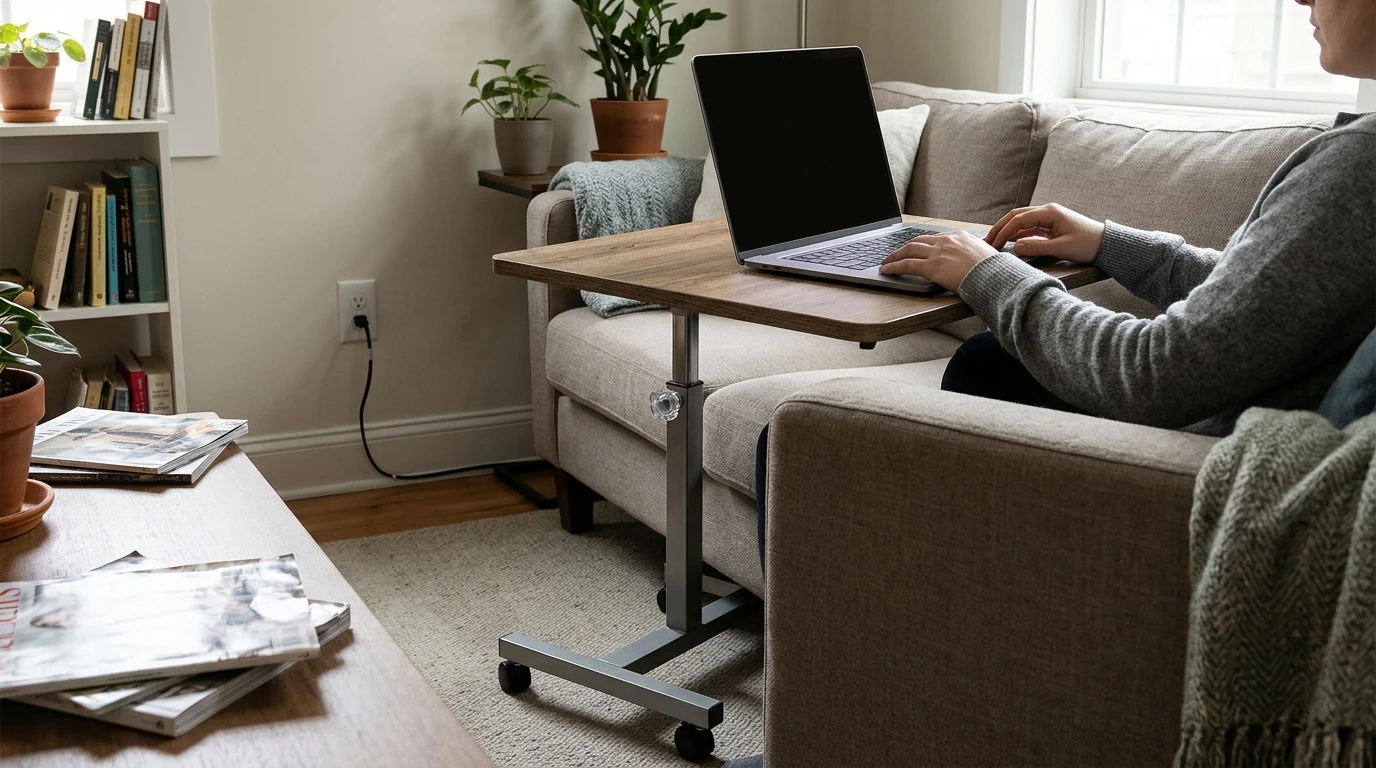
A dedicated desk is not always the right fit for a small room or a changing routine. You might answer email beside the sofa, take a video call in a quieter room, or need a temporary work spot that can be put aside when the day is done. Our Adjustable 24 Inch Laptop Desk with 360° Rotating Top and Mobile Stand offers a compact surface for those shifts. The key is to make sure its size and your complete setup work for the tasks you do most often.
The desk combines a 24-inch top, an adjustable design, 360° top rotation, and a mobile stand. Those features give you options when a full-size workstation would crowd a room or when you need to work in more than one place. You can bring a laptop surface into a living-room corner for a short session, then choose a different location for a call.
It helps to treat this as a flexible laptop surface, not an automatic replacement for every desk. If you routinely spread out documents, use multiple monitors, or keep several devices within reach, plan where those items will go. A compact top works best when you give the task at hand priority and keep unrelated things elsewhere.
Rotation is useful when the stand has a good place on the floor but the laptop needs a different position. You can turn the top to bring the screen and keyboard closer to your seat or adjust the camera angle for a call without moving the entire stand. Make each adjustment deliberately, then confirm that the surface is stable before you begin working.
Arrange frequently used items where you can reach them without leaning or twisting. If your laptop leaves little space for a notebook, mouse, or drink, simplify the setup rather than crowding the edge. Keep drinks on a separate stable surface, and make sure cables do not pull on the laptop as you rotate the top.
Start with the floor, not just the view from your chair. In a living-room corner, leave enough clearance to sit down and stand up without bumping the stand. In a bedroom, consider whether it blocks a drawer or walkway. In a shared space, choose a position that lets others move through the room safely.
Nearby power matters, too. Route cords away from foot traffic, and leave enough slack for the position you intend to use. Mobility makes changing rooms more practical, but a new location is not necessarily a better work position: your chair, lighting, and task still determine how comfortable it feels. Before moving the stand, unplug or secure cables and remove loose items that could shift.
| Task | What to check | Simple adjustment |
|---|---|---|
| Typing for a longer stretch | Screen and hand position | Consider a separate keyboard and mouse if needed. |
| Video calls | Lighting and camera angle | Rotate or reposition the top for a clearer view. |
| Moving between rooms | Clear floor space and cables | Unplug and secure cables before moving the stand. |
Once you have chosen a spot, place the stand and sit naturally in the chair you plan to use. Adjust the work surface, then check the screen: can you see it clearly without craning your neck? Next, try the keyboard and trackpad. Your hands should be comfortable to use, rather than reaching forward or lifting awkwardly to type.
A laptop creates a familiar trade-off. Raising its screen also raises its attached keyboard. For longer typing sessions, a separate keyboard and mouse may help you arrange the screen and your hands more comfortably. Both the OSHA Computer Workstations eTool and Mayo Clinic’s office ergonomics guidance emphasize looking at the whole workstation, including posture, input devices, and screen position.
No desk alone prevents discomfort. Change position during the day and take regular breaks from sitting and screen work. For a brief email check, a simple laptop-only setup may be enough; for a longer project, give yourself time to arrange the chair, screen, and accessories.
Measure your laptop’s width and depth, then consider what else you expect to keep on the 24-inch top. Leave usable space around the laptop rather than assuming every inch will be convenient for accessories. If you tend to keep reading material or another project nearby, give it a separate home instead of piling it onto the work surface. That applies whether you are handling paperwork or planning from Great Meals, Small Budget between work sessions.
Also measure the floor area available beside your chair and note any doorway, drawer, or cable path the stand could affect. For dimensions beyond the top size and for adjustment details that matter to your room, review the current product specifications. You can find the current price there as well. If a compact, movable laptop surface fits your routine, take a closer look at our Adjustable 24 Inch Laptop Desk with 360° Rotating Top and Mobile Stand.
It depends on your laptop and what you want beside it. Compare the laptop’s width and depth with the available surface, allowing room for comfortable use.
It can serve as a laptop work surface, but comfort depends on your chair, screen position, and hand position. For extended typing, consider a separate keyboard and mouse.
Clear your route, unplug or secure cables, and make sure your laptop and any loose items cannot shift as you move.





Leave a comment